
An AI writing tool has just produced a beautifully confident answer. There is one small problem: the answer is wrong.
The person using it now has two jobs: fix the output and decide whether they can trust the tool again. That is a lot to ask of someone who opened the product to save time, not adopt a second career as an AI detective.
Good AI error handling helps people understand the situation, keep their work and choose a useful next step. Here is a practical way to design that experience.
Name the kind of problem
A failed request, an incomplete response and a factual mistake need different recovery paths. “Something went wrong” leaves all three in the same mysterious drawer.
- Technical failure: preserve the input and offer a retry.
- Missing context: explain what information would help and why.
- Questionable output: support inspection, editing and rejection.
Repeated retries will not fix a response that needs better information. Identify the problem before choosing the control.
Give people something useful to do
Consider an illustrative writing assistant that loses its connection while generating a draft.
Vague: “Generation failed. Try again.”
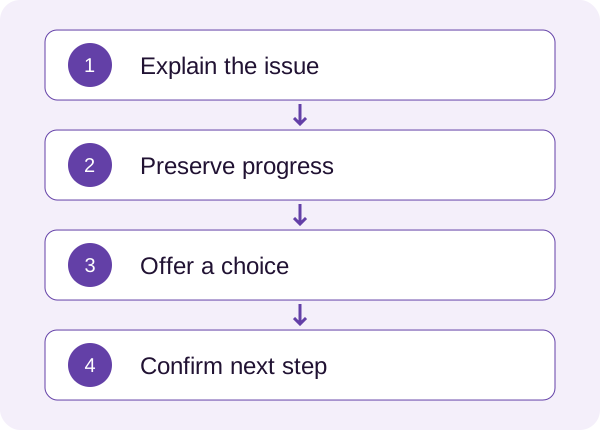
More helpful: “We couldn’t finish your draft. Your instructions are saved. Try again, or continue editing the text below.”
The second message explains the immediate problem, accurately describes what happened to the work and offers a choice. It also avoids pretending to know a cause the system cannot identify.
For an inaccurate answer, provide actions that fit the task: edit, compare with the original material, remove the suggestion or start again. Place those controls near the result. A recovery action hidden in settings is a very polite way of being unavailable.
Protect progress and explain consequences
Preserve prompts, selections and manual edits whenever the product can do so safely. Explain what will be replaced before a retry. If generating again uses credits, show the cost before the action and clarify whether the failed attempt was charged.
Sometimes a human handoff is the appropriate next step. Explain who receives the request, what information is shared and what response to expect. Avoid promising instant help if nobody is there to provide it.
Match the review process to the consequence of the task. A brainstorming tool and a system supporting an important decision need different safeguards. An attractive confidence indicator is not proof that a response is correct.
A recovery checklist for your next review
- Can the person understand what happened?
- Is their existing work preserved, and is that explained accurately?
- Can they edit, reject or retry without losing unrelated progress?
- Are costs visible before the next action?
- Does feedback work with keyboard navigation and assistive technology?
- Can they continue another way when the AI cannot help?
In a usability session, ask someone to recover from an intentionally flawed, low-risk result. Observe whether they understand the choices and complete the next step. A successful retry can still leave someone confused about what changed.
Microsoft’s Human-AI Interaction Guidelines offer a reference for correction and control. These questions also connect to SPARK and the account-state decisions documented in my AI Companion case.
Choose one error state and walk through the checklist. A clear recovery moment shows people that their time and effort matter.